 English
  Japanese
AI risk-killing for businesses
Number of companies using the service *

*Source: Tokyo Shoko Research Co., Ltd. "Survey on Reskilling Services for Corporations" (May 2026 / Survey period: March 26, 2026 - April 17, 2026 / Survey method: Desk research and interviews / As of the end of March 2026)
Don't just "understand,"
We will accompany you until it is usable.
Fully implement AI in your organization
AI introduction training
Utilization support services
For inquiries about subsidies and implementation, please click here
Contact us for an introductionIf you're unsure, start with this document
 Download Documents

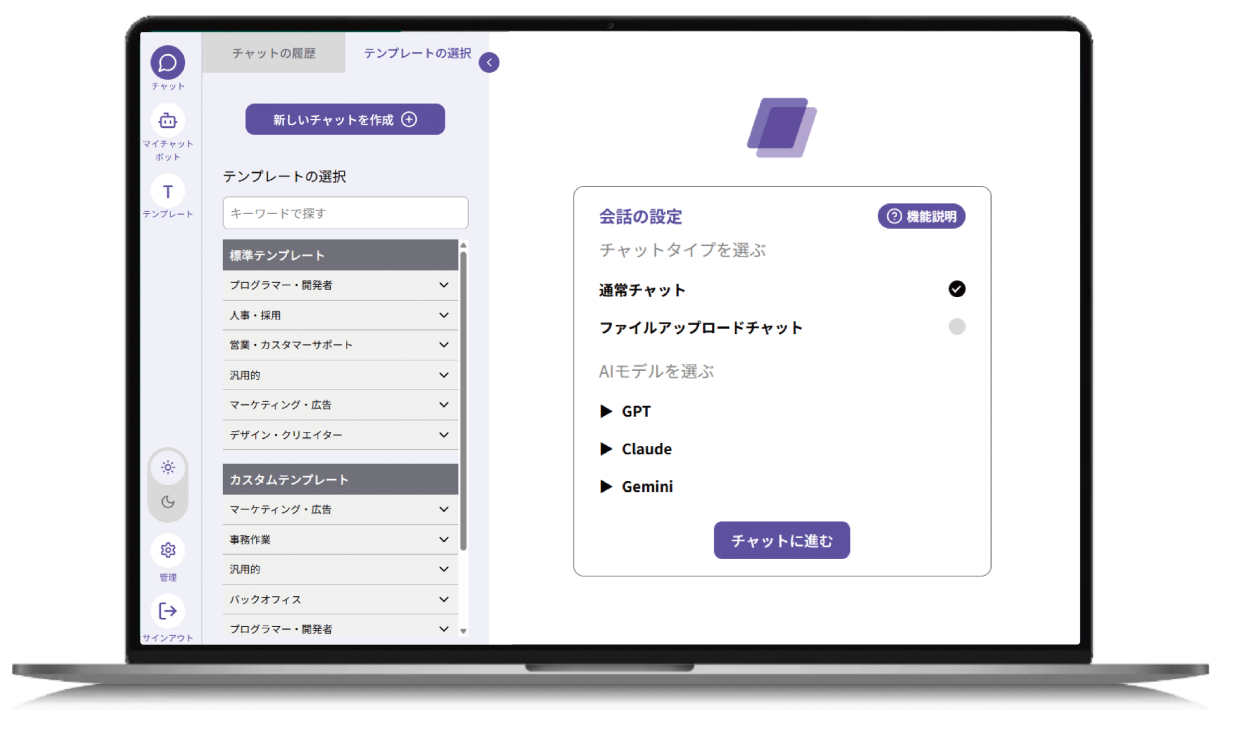

Leading generative AI tools
Systematically learn how to use it




Regardless of industry or size,
Currently being adopted by corporations across the country
-
Number of companies using the service *
600Company super
*As of the end of June 2026
-
User satisfaction rate*
100%
From a questionnaire survey of user companies








































Problem
Do you have any of these concerns?
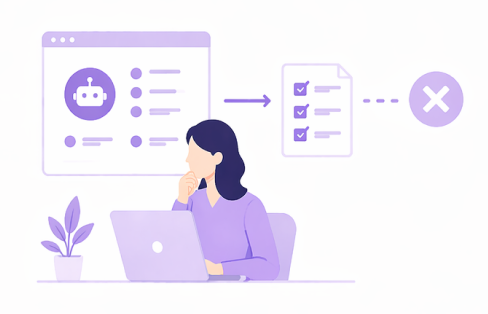
AI training was conducted,Not used in the field
- Although training was conducted, it is not being utilized in daily work.
- I learned how to use the tool, but I haven't been able to apply it to my work.
- Only a few people use it, it doesn't spread to the whole organization
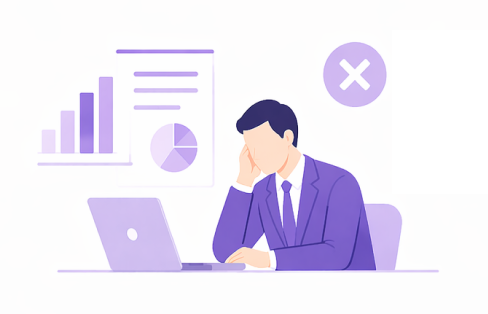
Where do I start?I'm moving forward without understanding
- Unable to determine which AI tools and usage methods are best suited to your company
- Each department uses it differently, and there are no rules.
- Trial and error takes time, and results are hard to see

As a temporary measureNot achieving establishment or improvement
- The system is introduced and then finished, and improvements and utilization come to a halt.
- Dependence on the person in charge prevents accumulation of know-how
- There is no system in place to continue using AI as an organization
Solution
Corporate Reskilling is the solution
-
Solution
1
AI implementation training to utilization support
Comprehensive, end-to-end supportWe provide introductory training that goes beyond the basics of AI to include selecting and using the tools that are best suited to your business. Rather than simply learning, we aim to help you master the use of AI in the workplace.
-
Solution
2
Overwhelming implementation results
Providing training that leads to resultsIn addition to a proven track record of supporting numerous clients, our solutions have also demonstrated effectiveness in major corporations. Because we can show quantifiable results, we can guide you through to complete business transformation.
-
Solution
3
I knew the business thoroughly.
Direct guidance from AI professionalsLeading AI experts from Japan will take to the stage as lecturers to provide the latest case studies and practical knowledge, conveying know-how that can be used in the field, rather than armchair theory.
Trinity
With a three-pronged approach of video learning, workshops, and practical support, Ensuring the reliable establishment and practical application of AI

1Video-based learning (e-learning)
Inputting fundamental knowledge and application skills of AI


Total of over 10 hours
- Learn efficiently in a short amount of time
- Repeated viewing helps solidify understanding.
- We also update with the latest trends regularly.
Designed like a school curriculum.
Repeat steps ① and ② to deepen your understanding.
repetition
Learning cycle
Total 4 times
2workshop
A place to put learned skills into practice.


90 minutes/session x 4 sessions = 6 hours total
- Practice according to the theme given by the instructor.
- Operate and experience AI in general business use cases (using your own PC)
- Solidify skills through practical application.
Examples of learning cycles
A comprehension test will be administered after each video lesson to confirm that the student has retained their understanding.
1st time
1-1Video Learning
Approximately 2.5 hours

Comprehension Test

2-1workshop
90 minutes

second time
1-2Video Learning
Approximately 2.5 hours
Comprehension Test
2-2workshop
90 minutes
3rd time
1-3Video Learning
Approximately 2.5 hours
Comprehension Test
2-3workshop
90 minutes
4th time
1-4Video Learning
Approximately 2.5 hours
Comprehension Test
2-4workshop
90 minutes

total
16More than an hour
Video learning: 10 hours or more
Workshop: 6 hours
3Support for utilization (on-the-job support)
We provide comprehensive support, from solidifying your learning to applying it in practical work situations.
Business inventory
We will work together to visualize and organize your business processes, which form the foundation for AI utilization.


Learning Management Support
① Video learning, ② Workshop progress management, understanding tracking, and assistance in resolving questions will be provided.

Regular briefing session
We regularly share information on the AI's learning and utilization status to facilitate improvements.


Final touches: Practices tailored to our company's specific operations.
Company-specific workshops (3 sessions)
Based on the inventory sheet, we will conduct three workshops tailored to your company's specific operations to finalize the practical application of the information.

By repeating these three steps, we rediscover and improve the issues.
We will continuously improve our level of AI utilization.
Steps
What is necessary for AI to be adopted3 steps
To successfully implement AI, it's essential not only to understand AI but also to streamline business processes.
At Digirise, we support you in three steps, from acquiring knowledge to applying it in practice.
Step
1

Take stock of your own tasks
We will organize our work processes and clarify the areas where AI can be used and their priorities.
- Break down and visualize the work process in detail.
- Identifying areas where AI can be replaced by other technologies.
- Calculating the effort required for each task
Step
2

Acquire AI utilization skills and knowledge
You will gain a foundational understanding of AI's characteristics and risks, and acquire the knowledge necessary to utilize it in your work.
- Acquiring skills in using different tools
- Understanding security risks
- Taking a comprehension test
Step
3

Applying it to practical situations
We will integrate AI into actual business workflows and establish its use while verifying its effectiveness.
- Integrating AI into practical workflows
- Practical application in general-purpose tasks and unique tasks.
- Measuring the effect with Before/After
The basic knowledge and skills required for AI utilization are:
Organized by job functionTraining curriculumLearned through that.
For each job
We offer learning courses.(Multiple choice)
We offer a total of 24 courses, combining job roles with AI models.
You can choose based on your job responsibilities and the combination of AI models you use within your company.
| duties | Courses we offer |
|---|---|
| Accounting, Finance, and Labor Relations | AI-powered data generation courses for accounting, finance, and labor management: for Gemini / for Microsoft Copilot / for Claude / for ChatGPT |
| Human resources/recruitment | AI-generated application courses for HR and recruitment: for Gemini / for Microsoft Copilot / for Claude / for ChatGPT |
| Manufacturing/IT/Site | Generative AI Application Course for Manufacturing, IT, and On-Site Operations: for Gemini / for Microsoft Copilot / for Claude / for ChatGPT |
| Sales, Planning, and Proposal Positions | AI-powered development courses for sales, planning, and proposal roles: for Gemini / for Microsoft Copilot / for Claude / for ChatGPT |
| Customer service, service, and care jobs | AI-generated learning courses for customer service, hospitality, and care professionals: for Gemini / for Microsoft Copilot / for Claude / for ChatGPT |
| Legal affairs / Lawyer | AI-powered coding courses for legal professionals and lawyers: for Gemini / for Microsoft Copilot / for Claude / for ChatGPT |
AI utilization in accounting, finance, and labor management
This content is designed to align with the practical realities of accounting, finance, and labor management.
- Business process maps for accounting, finance, and labor management, and how AI can be used.
- Determining which tasks to delegate and which not to delegate.
- How to structure instructions and verify AI responses
- The line between information that can be disclosed in documents and information that should be withheld.
- Retaining employees in the workplace and dealing with setbacks.
- The difference between instructions that are understood and instructions that are not.
- Specifying roles, prerequisites, and output formats
- Improve accuracy by asking follow-up questions and providing examples.
- Common instruction patterns used in accounting, finance, and labor management.
- Template creation for monthly task instruction documents
- Reading paper documents
- Minutes of the regular accounting meeting and audit hearing
- Email text for billing/payment notifications and internal company announcements.
- Monthly report and financial comments draft
- Draft version of approval documents and procedure manuals
- Summary of circulars and accounting standards, and paraphrasing of terminology.
- Checking the reconciliation of numerical data and documents.
- Extracting information from invoices and receipts
- Aggregation and formatting of expense and account data into tables
- Designing the presentation of cash flow reports
- Comparison table of accounting software and outsourcing providers
- Hypothesizing the factors behind the budget-to-actual difference
- How to ask for research by breaking down the question
- How to verify information sources and evidence
- Organizing the requirements for selecting accounting software and external services
- Collection of information on system reforms and subsidies
- Reorganizing for reporting and establishing a routine.
- Monthly closing and payment processing checklist
- Task organization before the deadline and arrangements for financial closing and year-end tax adjustments.
- Designing interview questions for each department
- Structuring Financial Reports and Budget Explanations
- Sorting of received applications and inquiries
- Writing down the steps in your head
- Creating a chatbot to answer expense regulations
- Responding to internal inquiries regarding attendance and expenses
- Tips for giving instructions that improve response accuracy
- How to organize regulations and FAQs
- Points to note when deploying to a team and implementing the changes.
- Checking journal entries, invoices, and bills.
- Drafting a payment reminder and discrepancy inquiry document
- Criteria for checking payroll and attendance data
- Preparation of cash flow statement and fixed asset register
- Interpreting tax notices and preparing for labor standards inspections
- The basics of voice input and how to use it to talk about and hand over your questions.
- Practice of anticipated questions and answers using your voice
- How to ask an AI to be treated like a new employee
- The same request is sent to multiple AIs for comparison.
- Division of labor between general-purpose AI and specialized software
- Criteria for Choosing an AI Tool
- Recognizing AI bias and defining the scope of what to entrust to it.
- A step-by-step approach to expanding AI utilization
Gemini operation and practical application
You will learn how to operate your AI model in accounting, finance, and labor management scenarios.
AI-powered data generation course for accounting, finance, and labor management (for Gemini)
- A comprehensive overview of Gemini from the perspective of accounting and labor management work.
- Gemini plans and editions suitable for accounting and labor management.
- Gemini settings to protect accounting and labor information
- Gemini model suitable for accounting and labor paperwork.
- Generate and edit accounting and labor-related document images using Gemini.
- Using Canvas for accounting and labor-related paperwork.
- Gemini mobile app for accounting and labor record keeping
- Gemini Canvas used for accounting and labor data aggregation.
- Workspace Studio Basics: Starting with Accounting and Labor Management
- The basics of AI Studio from the perspective of accounting and labor management tasks
- Creating apps with the Build function that can also be used for accounting and labor management.
- Stream function for practicing accounting and labor relations responses.
- Creating GAS with Gemini: An Example of Accounting and Labor Management
- Gems function used for handling accounting and labor-related inquiries.
- Gemini Notebook integration, also usable for accounting and labor management.
- I entrust Gemini with taking meeting notes for accounting and labor-related matters.
AI-powered data generation course for accounting, finance, and labor management using Microsoft Copilot
- An overview of Copilot from an accounting and labor perspective
- Copilot settings to protect accounting and labor information
- Choosing a Copilot mode for accounting and labor-related paperwork.
- Image generation for Copilot used in accounting and labor-related documents.
- Word × Copilot for accounting and labor-related paperwork
- Excel × Copilot for compiling accounting and labor figures
- Accounting and labor reports and PowerPoint Copilot
- Copilot's internal search function can also be used for accounting and labor management.
- VBA in the AI Era: Starting with Accounting and Labor Management
- Repetitive tasks in accounting and labor management, and practical application of Excel VBA.
- OneNote's Copilot summarization tool can also be used for accounting and labor management.
- Agent Builder answers accounting and labor-related inquiries.
- Q&A for Copilot Notebooks, starting from accounting and labor management.
- Using accounting and labor management as an example, the M365 file creation agent
- Copilot's analyst agent for accounting and labor management.
AI-powered data generation course for accounting, finance, and labor management for Claude
- The accounting and labor documents will be submitted as deliverables.
- Connecting with external parties while maintaining the existing accounting and labor management framework.
- File generation using accounting and labor management as examples.
- How to convey context to a coworker, using accounting and labor management as examples.
- An overview of Claude Cowork, starting with accounting and labor management.
- Adding extended functionality to accounting and labor management tasks.
- Research and file organization related to accounting and labor.
- Gather accounting and labor information across multiple websites.
- Claude Code and the Environment from an Accounting and Labor Perspective
- Implementation and initial execution of accounting and labor management systems.
- Basic commands and operations used in accounting and labor management.
- Speed up the input and execution of accounting and labor-related data.
- Record accounting and labor rules in the settings.
- How to write and improve accounting and labor instructions
- Reduce repetitive accounting and labor management tasks with Claude Code.
AI-powered data generation course for accounting, finance, and labor management for ChatGPT
- First login to ChatGPT from the Accounting/Labor section.
- Business plan functions used in daily accounting and labor management tasks.
- Security of information handled in accounting and labor management
- Choosing a Thinking Mode for Accounting and Labor Relations Paperwork
- Create an explanatory diagram for accounting and labor management.
- Using Canvas for creating accounting and labor-related documents.
- We use Excel and PowerPoint to manage accounting and labor data.
- Convenient features of the ChatGPT app that are also useful for accounting and labor management.
- Introducing ChatGPT Work, starting with accounting and labor management, and ensuring security.
- Assign them to use the accounting and labor folders as their workspace.
- Complete accounting and labor-related documents using ChatGPT Work.
- Trying out Codex in accounting and labor management work.
- Creating and Utilizing GPTs: An Example in Accounting and Labor Management
- Using custom instructions and memory in accounting and labor management.
- Gather accounting and labor-related documents in Projects.
- Using ChatGPT's voice function for accounting and labor management work.
- Manage routine accounting and labor-related tasks using the ChatGPT task function.
- Expanding ChatGPT app integration beyond accounting and HR.
AI utilization in HR and recruitment
This content was created to align with the practicalities of human resources and recruitment.
- HR and recruitment workflow maps and how AI can be used.
- Determining which tasks to delegate and which not to delegate.
- How to structure instructions and verify AI responses
- Distinction in handling applicant information and personnel information
- Retaining employees in the workplace and dealing with setbacks.
- The difference between instructions that are understood and instructions that are not.
- Specifying roles, prerequisites, and output formats
- Improve accuracy by asking follow-up questions and providing examples.
- Common instruction patterns used in HR and recruitment
- Template creation for selection contact and announcement letters
- Reading and summarizing handwritten responses
- Interview and personnel meeting minutes
- Proofreading of emails for applicants and internal communication, as well as job postings and informational materials.
- Draft of recruitment and training report
- A draft of the personnel procedures manual and planning document.
- Summarization of institutional documents and labor notices, and rephrasing them to suit the reader.
- Review of application guidelines and notices
- Extracting information from application documents and interview records
- Aggregation and formatting of attendance and recruitment data into tables
- Visualization of recruitment and retention data
- Comparison table of recruitment media and training services
- Commentary on recruitment results and personnel costs
- How to ask for research by breaking down the question
- How to verify information sources and evidence
- Understanding the recruitment market and job market trends
- Comparative analysis of training and personnel system case studies
- Reorganizing for reporting and establishing a routine.
- Checklist for Onboarding and Offboarding Procedures
- Task organization and selection/training arrangements during the busy recruitment season
- Designing interview questions for interviews and resignation meetings.
- Structuring company information sessions and training programs
- Organizing inquiries and creating procedure manuals
- Creating a chatbot to answer questions about company regulations
- Responding to employee inquiries about company policies
- Tips for giving instructions that improve response accuracy
- How to organize FAQs and manuals
- Points to note when deploying to a team and implementing the changes.
- Drafting job postings and adapting them for different media outlets
- Creating a list of interview questions and preparing for job offer/offer interviews.
- Summary of findings from interview notes
- Organization of training text structure and training achievement criteria
- Individual follow-up emails for participants and brainstorming ideas for recruitment publicity.
- Creating an onboarding plan for new employees and organizing training data.
- The basics of voice input and how to convey the background of the hiring process and interview impressions.
- Practice mock interviews using your voice
- How to ask an AI to be treated like a new employee
- The same request is sent to multiple AIs for comparison.
- Division of labor between general-purpose AI and specialized tools
- Criteria for Choosing an AI Tool
- Recognizing AI bias and defining the scope of what to entrust to it.
- A step-by-step approach to expanding AI utilization
Gemini operation and practical application
You will learn how to operate your AI model in a way that suits your HR and recruitment needs.
Generative AI Utilization Course for HR and Recruitment (for Gemini)
- Learn what you can do with Gemini from an HR/recruitment perspective.
- Choosing Gemini plans and editions for HR and recruitment
- Gemini Setup and Precautions: Protecting HR and Recruitment Information
- How to Choose a Gemini Model in HR and Recruitment
- Creating and organizing HR and recruitment document images with Gemini
- Creating HR and recruitment documents using Canvas
- Using the Gemini mobile app in HR and recruitment situations
- Gemini Canvas is effective for creating HR and recruitment materials.
- Workspace Studio can also be used for HR and recruitment.
- Understanding the Basics of AI Studio from an HR/Recruitment Perspective
- Let's look at app development using the Build function, with an example from HR/recruitment.
- Try out the Stream feature for HR and recruitment communication.
- Creating GAS scripts for Gemini that can also be used for HR and recruitment.
- Answer HR and recruitment questions using the Gems feature.
- Sharing Gemini Notebooks, starting with HR and recruitment.
- Meeting minutes created by Gemini for HR and recruitment meetings
AI-Generative Utilization Course for HR and Recruitment for Microsoft Copilot
- Getting Started with Copilot in HR and Recruitment
- Handling Copilot in HR and Recruitment
- Document creation for HR and recruitment, and Copilot modes
- Copilot's image generation is also useful in HR and recruitment.
- Document creation for HR and recruitment using Word × Copilot
- Reading HR and recruitment data with Excel and Copilot
- Copilot PowerPoint for use in HR and recruitment
- Searching for and summarizing Copilot documents from the HR/Recruitment section.
- VBA for Beginners in Human Resources and Recruitment
- Reducing manual tasks in HR and recruitment with Excel VBA
- Structuring OneNote and Copilot for HR and Recruitment
- Agent Builder can also be used for HR and recruitment.
- Audio explanation of Copilot Notebook, useful for HR and recruitment.
- M365 file creation agent usable in HR and recruitment
- Copilot's research tool for handling HR and recruitment research.
AI-Generative Utilization Course for HR and Recruitment for Claude
- Create deliverables from HR and recruitment documents.
- Expand collaboration in HR and recruitment through accumulated context.
- File generation that can be used in HR and recruitment.
- The first Cowork listing for those entering the HR/Recruitment field.
- The basics of Claude Cowork, which can also be used for HR and recruitment.
- Expand the scope of HR and recruitment with extensions.
- Gather and organize information on personnel and recruitment.
- Gathering HR and recruitment information across the web
- Claude Code for Human Resources and Recruitment Work
- The first thing to do when hiring/recruiting.
- Basic operations to learn in daily HR and recruitment work
- Input techniques to reduce the workload in HR and recruitment.
- Establish and remember the HR and recruitment framework.
- Instructions for personnel and recruitment should be written, revised, and refined.
- Claude Code helps you learn standard HR and recruitment tasks.
AI-Generative Utilization Course for HR and Recruitment (ChatGPT)
- ChatGPT screen and initial setup, useful for HR and recruitment.
- Leverage the business plan's functionality in creating HR and recruitment documents.
- How to handle information carefully in human resources and recruitment
- Thinking mode for creating HR and recruitment documents
- Generate images for use in HR and recruitment situations.
- Crafting HR and recruitment documents using Canvas
- Create HR and recruitment documents using Excel and PowerPoint.
- Features of the ChatGPT app used in HR and recruitment situations
- Understanding the differences between ChatGPT Work versions is crucial for HR and recruitment.
- Entrust the entire folder of HR and recruitment documents to the bank.
- Let ChatGPT Work handle HR and recruitment document creation.
- Codex: Starting with organizing HR and recruitment data
- How to create GPTs that can be used in HR and recruitment.
- Custom instructions and memory tailored to HR and recruitment needs.
- Separate Projects by HR/recruitment issue.
- ChatGPT voice function for recording HR and recruitment information by voice.
- Let ChatGPT's task function handle regular HR and recruitment communications.
- Trying out ChatGPT app integration in HR and recruitment work.
Utilizing AI in manufacturing, IT, and the field
This content was created to align with the practical realities of manufacturing, IT, and on-site operations.
- Manufacturing, IT, and on-site work maps and where AI can be used.
- Determining which tasks to delegate and which not to delegate.
- How to structure instructions and verify AI responses
- Drawings and technical documents before handing them over
- Retaining employees in the workplace and dealing with setbacks.
- The difference between instructions that are understood and instructions that are not.
- Specifying roles, prerequisites, and output formats
- Improve accuracy by asking follow-up questions and providing examples.
- Commonly Used Instruction Patterns in Manufacturing, IT, and On-Site Operations
- Templating the format of daily work reports
- Reading notices and handwritten records
- Minutes of morning meetings and project meetings
- Proofreading emails to business partners and collaborating companies, as well as reports and notices.
- Trouble report draft
- A draft of a procedure manual and improvement proposal document for tasks only I know about.
- Summarizing specifications and technical documents and rephrasing them to suit the reader.
- Inspection of slips and labels
- Extracting information from inspection records and technical documents
- Aggregation of production and defect data and formatting of tables
- Visualization of productivity and defect rates
- Comparison table of internal systems and services
- Explanation of production results and yield
- How to ask for research by breaking down the question
- How to verify information sources and evidence
- Understanding revisions to safety-related regulations and laws.
- Research and comparison of potential materials and processing methods
- Reorganizing for reporting and establishing a routine.
- Creating an inspection checklist
- Task organization and production planning/changeover arrangements before deadlines and due dates.
- Designing interview questions for troubleshooting
- Structuring Safety Education and User Briefing Sessions
- Assigning reports and communications and writing out work procedures
- Creating a chatbot that answers questions based on instructions.
- Handling inquiries from within the company
- Tips for giving instructions that improve response accuracy
- How to organize procedure manuals and FAQs
- Points to note when deploying and implementing this in the workplace
- Draft work procedure manual and manual with photos and screenshots
- Production plan/work schedule change memo and inventory/materials organization
- Order/quote request, contact letter to subcontractor
- Defect/complaint reporting and root cause analysis
- Reading trends from quality checklists and inspection records
- The basics of voice input and how to use it in situations where your hands are full.
- Recording inspections and insights through voice recordings
- How to ask an AI to be treated like a new employee
- The same request is sent to multiple AIs for comparison.
- Division of labor between general-purpose AI and specialized systems
- Points to check before implementing AI tools
- Recognizing AI bias and defining the scope of what to entrust to it.
- A step-by-step approach to expanding AI utilization
Gemini operation and practical application
Learn how to operate your AI model in a way that suits your manufacturing, IT, and on-site work environment.
Generative AI Application Course for Manufacturing, IT, and On-Site Operations (for Gemini)
- What can Gemini do in manufacturing, IT, and on-site operations?
- Which Gemini plan and edition are best suited for manufacturing, IT, and on-site operations?
- Gemini settings to be aware of in manufacturing, IT, and on-site operations.
- Which Gemini model should I use for research related to manufacturing, IT, and on-site operations?
- Create images to accompany manufacturing, IT, and on-site explanations using Gemini.
- Canvas function that can be used for recording manufacturing, IT, and on-site operations.
- Gemini mobile app usable in manufacturing, IT, and on-site work.
- Mini-apps for Gemini Canvas created in manufacturing, IT, and on-site.
- Workspace Studio: Examples from Manufacturing, IT, and the Workplace
- AI Studio as a tool for manufacturing, IT, and on-site operations
- Building applications using Build functionality, incorporating input from manufacturing, IT, and the factory floor.
- Manufacturing, IT, and on-site communication and Streaming functionality
- Examples of Gemini and GAS from a Manufacturing, IT, and On-Site Perspective
- Gems functionality usable in manufacturing, IT, and on-site applications.
- Gemini Notebook Operation: Examples from Manufacturing, IT, and On-Site Operations
- Gemini's automatic memo feature lets you record meetings in manufacturing, IT, and on-site operations.
AI Generation Utilization Course for Manufacturing, IT, and On-Site Applications for Microsoft Copilot
- The fundamentals of Copilot for manufacturing, IT, and on-site operations.
- Manufacturing, IT, and on-site information, and Copilot's privacy
- Which Copilot mode is used in manufacturing, IT, and on-site operations?
- Copilot's image generation—for manufacturing, IT, and on-site documentation.
- Writing manufacturing, IT, and on-site reports using Word and Copilot
- Numerical management in manufacturing, IT, and on-site operations using Excel × Copilot
- PowerPoint × Copilot for Manufacturing, IT, and On-Site Development
- Copilot's File Organization: Examples from Manufacturing, IT, and On-Site Operations
- VBA in the AI Era: From Manufacturing, IT, and the Field
- Practical Excel VBA: Standardized Processing in Manufacturing, IT, and the Workplace
- OneNote's Copilot organization: Examples from manufacturing, IT, and factory floors.
- Agent Builder in manufacturing, IT, and on-site settings
- Using Copilot Notebook: Examples from Manufacturing, IT, and On-Site Operations
- Testing the M365 file creation agent in manufacturing, IT, and field operations.
- For research jobs, contact a Copilot agent—in manufacturing, IT, and on-site operations.
Creational AI Application Course for Manufacturing, IT, and On-Site Operations for Claude
- Create deliverables based on manufacturing, IT, and on-site records.
- Accumulation of manufacturing, IT, and on-site records, and external collaboration.
- File creation based on input from manufacturing, IT, and the factory floor.
- How to communicate the premise of coworking, applicable to manufacturing, IT, and on-site work.
- The flow of Claude Cowork as seen through examples from manufacturing, IT, and the factory floor.
- Expandable to suit manufacturing, IT, and on-site needs.
- Investigate and organize records from manufacturing, IT, and the factory floor.
- Automate web-based research for manufacturing, IT, and on-site operations.
- Claude Code and the Environment in Manufacturing, IT, and the Field
- Implementation and initial run in manufacturing, IT, and on-site operations.
- Command operations mastered by manufacturing, IT, and on-site staff
- Efficiently manage manufacturing, IT, and on-site operations.
- Maintaining manufacturing, IT, and on-site assumptions through settings and memory.
- Organize how you make requests to manufacturing, IT, and on-site teams.
- Automate manufacturing, IT, and on-site procedures with Claude Code.
AI Generation Utilization Course for Manufacturing, IT, and On-Site Applications for ChatGPT
- The first steps of using ChatGPT: Examples from manufacturing, IT, and factory floors.
- Business plan features that are effective for recording manufacturing, IT, and on-site operations.
- How to use manufacturing, IT, and on-site information without disclosing it to the public.
- Model Selection and Thinking Modes in Manufacturing, IT, and the Field
- Creating diagrams for manufacturing, IT, and on-site operations using image generation.
- Organize manufacturing, IT, and on-site records using Canvas.
- Excel and PowerPoint for Manufacturing, IT, and On-Site Reporting
- Features of the ChatGPT app that are useful in manufacturing, IT, and on-site work.
- Preparing for ChatGPT Work: Examples from Manufacturing, IT, and the Workplace
- Work within the Manufacturing, IT, and On-site folders.
- ChatGPT Work handles everything from manufacturing and IT to on-site reporting.
- Trying out Codex in manufacturing, IT, and on-site operations.
- Try creating GPTs in manufacturing, IT, and on-site settings.
- Custom instructions and memory for manufacturing, IT, and on-site implementation.
- Consolidate manufacturing, IT, and on-site information in Projects.
- ChatGPT voice functionality for manufacturing, IT, and on-site use without interrupting work.
- Automate repetitive tasks in manufacturing, IT, and on-site operations with ChatGPT task functionality.
- Leveraging ChatGPT and external service integration in manufacturing, IT, and on-site operations.
AI utilization in sales, planning, and proposal roles
This content was created to align with the practical work of sales, planning, and proposal roles.
- Task maps for sales, planning, and proposal roles, and how AI can be used.
- Determining which tasks to delegate and which not to delegate.
- How to structure instructions and verify AI responses
- Guidelines for when sharing customer and project information
- Retaining employees in the workplace and dealing with setbacks.
- The difference between instructions that are understood and instructions that are not.
- Specifying roles, prerequisites, and output formats
- Improve accuracy by asking follow-up questions and providing examples.
- Common instruction patterns used in sales, planning, and proposal roles
- Template creation for distribution and announcement documents
- Extracting information from an image
- Minutes of business negotiations and meetings
- Proposal/follow-up emails and proofreading of proposal/announcement documents.
- Draft of sales report/project report
- Manual of response procedures and draft proposal for internal submissions.
- Summarizing industry reports and research materials, and tailoring the writing style to the reader.
- Review of estimates and proposals
- Extracting information from sales negotiation history and inquiries
- Aggregation of sales and performance data and formatting of customer lists
- Visualization of sales and pipeline
- Comparison table of competing products and strategies of other companies
- Commentary on policy performance and achievement rate
- How to ask for research by breaking down the question
- How to verify information sources and evidence
- Understanding customer company and industry trends
- Comparative Analysis of Potential Markets and Entry Areas
- Reorganizing for reporting and establishing a routine.
- Checklist for preparing for business negotiations and processing orders.
- Task organization for project management and planning for campaigns and exhibitions.
- Designing interview questions to understand customer challenges
- Creating a structure for internal proposals and project presentations
- Prioritizing inquiries and articulating the process.
- Creating a chatbot to answer product and service questions.
- Responding to inquiries about team operational rules.
- Tips for giving instructions that improve response accuracy
- How to organize product FAQs and manuals
- Points to note when deploying to a team and implementing the changes.
- Proposal structure and word choice tailored to the client
- Organizing hypotheses about problems based on customer feedback
- Prepared Q&A for business negotiations and follow-up emails.
- Creating an email and cover letter for sending a quote.
- Review of the reasons for lost deals and factor analysis of sales reports
- The basics of voice input and how to use it during business meeting preparations and while traveling.
- Role-playing before a business negotiation using AI as the customer.
- How to ask an AI to be treated like a new employee
- The same request is sent to multiple AIs for comparison.
- Division of labor between general-purpose AI and specialized tools
- Criteria for Choosing an AI Tool
- Recognizing AI bias and defining the scope of what to entrust to it.
- A step-by-step approach to expanding AI utilization
Gemini operation and practical application
You will learn how to operate your AI model in a way that is tailored to sales, planning, and proposal roles.
AI-Generating Course for Sales, Planning, and Proposal Professionals (for Gemini)
- The basics of Gemini that you should know in sales and planning.
- Gemini plans and editions from a sales and planning perspective
- Sales and Planning Information Management and Points to Note Regarding Gemini
- Creating sales and planning materials and selecting a Gemini model
- Gemini's image generation and editing tools are effective for sales and planning materials.
- Creating sales and planning materials and using Canvas functionality
- Sales and planning staff on the go and the Gemini mobile app
- Gemini Canvas is ideal for creating sales and planning materials.
- Workspace Studio that can be used for sales and planning as well.
- The fundamentals of AI Studio for sales and planning
- The Build function as seen in sales and planning scenarios
- Stream function as seen in sales and planning conversations
- Google Apps Script (GAS) written in Gemini is also effective in sales and planning.
- Gems feature accessible through sales and planning inquiries.
- Gemini Notebook integration is also useful in sales and planning.
- Gemini helps you grasp the key points of sales and planning meetings.
AI-Generating Course for Sales, Planning, and Proposal Professionals using Microsoft Copilot
- Sales and Planning Work and an Overview of Copilot
- Copilot's Security – In Sales and Planning Situations
- Choosing the right mode in Copilot – Creating sales and planning documents
- Sales and planning presentation materials and Copilot image generation
- Sales and planning documents are created using Word and Copilot.
- Viewing Sales and Planning Figures with Excel and Copilot
- Sales and planning proposals and PowerPoint Copilot
- Copilot's internal information search is also useful in sales and planning.
- An introduction to VBA that's also useful for sales and planning.
- Using Excel VBA for sales and planning data aggregation
- OneNote's Copilot feature is also useful in sales and planning.
- Agent Builder for Sales and Planning
- Practical applications of Copilot notebooks for sales and planning
- M365 file creation agent for use in sales and planning
- Testing Copilot's competitive and market research in sales and planning.
AI-powered sales, planning, and proposal development course for Claude
- Until the materials you provide become the deliverables for sales and planning.
- Connect and extract sales and planning information.
- File generation demo for use in sales and planning.
- The first Cowork that can be used in sales and planning.
- Security at Claude Cowork is also a priority in sales and planning.
- Extensions that are effective in sales and planning
- Research and compilation: preliminary preparation for sales and planning.
- Automate the collection of sales and planning information.
- Claude Code: Starting with Sales and Planning
- Try it out on the sales and planning PCs.
- Commands for managing sales and planning tasks
- Organize data entry to shorten sales and planning tasks.
- Learn the rules for sales and planning.
- Effective Instructions and Correction Methods for Sales and Planning
- External integrations of Claude Code that are effective for sales and planning
AI-Generating Course for Sales, Planning, and Proposal Professionals for ChatGPT
- The ChatGPT interface is also useful for sales and planning.
- Business planning functions as seen from creating sales and planning materials.
- Information and privacy that sales and planning departments must protect
- Selecting the right model for sales and planning, and the Thinking Mode
- Creating images to accompany sales and planning materials
- Canvas is effective for creating sales and planning materials.
- Create sales and planning proposals using Excel and PowerPoint.
- Using the ChatGPT app as an example in sales and planning.
- How to effectively use ChatGPT Work for sales and planning
- Specify the work location as the Sales/Planning folder.
- ChatGPT Work enables you to create sales and planning proposals.
- Trying out Codex in sales and planning tasks
- Utilizing custom GPTs starting from sales and planning
- Custom instructions and memory are effective for sales and planning.
- We consolidate ongoing sales and planning work using Projects.
- Using ChatGPT's voice function while sales and planning staff are on the go.
- ChatGPT task function is effective for routine tasks in sales and planning.
- Connecting sales and planning tasks through ChatGPT app integration.
AI utilization in customer service, hospitality, and care professions
This content was created to align with the practical work of customer service, hospitality, and caregiving professionals.
- Task maps for customer service, hospitality, and caregiving roles, and how AI can be used.
- Determining which tasks to delegate and which not to delegate.
- How to structure instructions and verify AI responses
- Distinguishing between information to be omitted from customer service and care records.
- Retaining employees in the workplace and dealing with setbacks.
- The difference between instructions that are understood and instructions that are not.
- Specifying roles, prerequisites, and output formats
- Improve accuracy by asking follow-up questions and providing examples.
- Common instruction patterns used in customer service, service, and care professions
- Template creation for response and communication messages
- Reading and organizing handwritten notes
- Minutes of morning meetings and staff meetings
- Proofreading reply emails to inquiries and announcements/posters.
- Draft of Near Miss/Incident Report
- Reception and guidance procedure manual and draft of event/activity plan
- Summary of operational notices and administrative notifications, and rephrasing them in simpler terms.
- Checking notices and handouts
- Extracting information from reservation and application information
- Sales and usage data compilation and shift schedule formatting
- Visualization of sales and operational status
- Comparison table of procurement and service plans
- Sales and operational report comments
- How to ask for research by breaking down the question
- How to verify information sources and evidence
- Understanding service and hospitality trends
- Researching product and menu trends and narrowing down candidates.
- Reorganizing for reporting and establishing a routine.
- Pre-delivery checklist
- Task organization during peak hours and planning for events and activities.
- Designing interview questions to understand customer needs
- Planning the structure of facility tours and information sessions
- Sorting the submitted feedback and outlining the procedures
- Creating a chatbot to answer customer service manual and facility information questions.
- Responding to inquiries from staff
- Tips for giving instructions that improve response accuracy
- How to organize manuals and FAQs
- Points to note when deploying and operating within stores and teams
- Drafts for announcements, POP displays, and social media posts
- Initial response and report memo for handling a complaint.
- Daily work reports, handover, and shift adjustment communications
- Opening/closing checklist and monthly task inventory
- Organizing care records and drafting care plans and support plans.
- The basics of voice input and how to use it during breaks from standing work.
- Role-playing telephone customer service using AI as the customer
- How to ask an AI to be treated like a new employee
- The same request is sent to multiple AIs for comparison.
- Division of labor between general-purpose AI and specialized systems
- How to choose the right AI tool
- Recognizing AI bias and defining the scope of what to entrust to it.
- A step-by-step approach to expanding AI utilization
Gemini operation and practical application
You will learn how to operate your AI model in a way that suits customer service, hospitality, and caregiving situations.
Generative AI Application Course for Customer Service, Care, and Service Professionals (for Gemini)
- Gemini Basics: Usable in Customer Service and Care Settings
- Gemini plans and editions suitable for customer service and care.
- Gemini settings when handling customer/user information
- Choose a Gemini model that is suitable for customer service and caregiving.
- Creating customer service and care guidance images and using Gemini's editing functions
- Format customer service and care instructions using Canvas.
- The Gemini mobile app can be opened between customer service and care tasks.
- Gemini Canvas supports customer service and care.
- Workspace Studio for use in customer service and care settings
- Basic AI Studio for Customer Service and Care
- An app with Build functionality that can be used for customer service and care.
- Stream functionality to be utilized in customer and user interactions
- Gemini's GAS is useful in customer service and care situations.
- Gems feature to answer customer and user questions
- Gemini Notebook for use in customer service and care settings
- Google Meet's Gemini can also be used for customer service and care.
AI-Generative Utilization Course for Customer Service, Care, and Service Professionals for Microsoft Copilot
- What is Copilot? – From a customer service and care perspective
- How does Copilot protect customer and user information?
- Copilot modes suitable for customer service and care interactions
- Copilot image generation to try in customer service and care settings
- Creating customer service and care guidance documents using Word and Copilot
- Customer service and care records are compiled using Excel and Copilot.
- PowerPoint Copilot in Customer Service and Care
- Search for Copilot documents used in customer service and care situations.
- VBA in the AI Era: What You Need to Know for Customer Service and Care
- Daily summaries of customer service and care data using Excel VBA
- OneNote Copilot summaries used in customer service and care situations
- Customer service and initial support, and Agent Builder
- Copilot Notebook for Customer Service and Care Settings
- M365 agents as seen in customer service and care settings
- Copilot agents can also be used for customer service and care.
AI-Generative Utilization Course for Customer Service, Care, and Service Professionals for Claude
- Compile customer service and care records into deliverables.
- Connecting accumulated customer service and care to external parties
- File generation seen in customer service and care situations
- How to hand out Cowork in customer service and care situations
- Understanding the Overall Picture of Claude Cowork Through Customer Service and Care Settings
- Extensions to assist with customer service and care.
- Organizing customer service and care information and filing files.
- Gather customer service and care information from the web.
- Claude Code for use in customer service and caregiving workplaces
- Steps to begin with customer service and care
- Basic operations necessary for customer service and care
- Features to simplify customer service and care data entry
- Write customer service and care procedures in a configuration file.
- Structure instructions using customer service and care language.
- Entrust the same customer service and care tasks to Claude Code.
AI-Generating Course for Customer Service, Care, and Service Professionals for ChatGPT
- The ChatGPT screen that opens during customer service and care situations.
- Business plan functions to focus on in customer service and care.
- Safe usage to protect customer and user information
- Switch to Thinking Mode when interacting with customers and providing care.
- Create informational images for customers and users.
- Create customer service and care instructions using Canvas.
- Excel and PowerPoint integration for customer service and care.
- How to carry the ChatGPT app around, starting with customer service and care.
- Creating a ChatGPT Work environment for customer service and care situations
- Let's try entrusting them with the folder for recording customer service and care.
- ChatGPT Work also handles customer service and care instructions.
- Codex used for repetitive tasks in customer service and care.
- Creating and implementing GPTs that are useful for customer service and care.
- Custom instructions and memory for customer service and care.
- Create separate Projects for each customer service/caregiving job.
- ChatGPT's voice function can be used between customer service and caregiving tasks.
- Send scheduled customer service and care communications via ChatGPT tasks.
- ChatGPT app integration is also effective for customer and user support.
AI utilization in legal affairs and by lawyers
This content was created to align with the practical work of legal professionals and lawyers.
- Legal and lawyer work maps and where AI can be used.
- Determining which tasks to delegate and which not to delegate.
- How to structure instructions and verify AI responses
- The line between what data to hand over to AI
- Retaining employees in the workplace and dealing with setbacks.
- The difference between instructions that are understood and instructions that are not.
- Specifying roles, prerequisites, and output formats
- Improve accuracy by asking follow-up questions and providing examples.
- Common instruction patterns used in legal affairs and by lawyers
- Template creation for contract review requests
- Reading paper documents
- Minutes of the contract meeting
- Reviewing inquiry/response emails and certified mail/notification letters.
- Draft of the investigation report
- Contract procedure manual and draft of regulations and notification documents
- Summarizing laws, precedents, and lengthy contracts, and rephrasing them in simpler terms.
- Review of contract wording
- Extracting information from contracts and supporting documents
- Aggregation of case/consultation data and formatting of contract ledgers
- Visualization of compliance with regulations
- Comparison table of contract terms and risks
- Report comments on projects and expenses
- How to ask for research by breaking down the question
- How to verify information sources and evidence
- Understanding trends in legal reforms and case law.
- Impact assessment of compliance with the new law
- Reorganizing for reporting and establishing a routine.
- Self-checklist before signing a contract
- Task organization for project and deadline management, and arrangements for contract renewal and shareholder meetings.
- Identifying risk reduction measures
- Structuring Compliance Training and Reports
- Standardization of consultation segmentation and decision-making procedures
- Creating a chatbot to answer questions about internal company regulations and contract guidelines.
- Initial response to inquiries from business units
- Tips for giving instructions that improve response accuracy
- How to prepare regulations and FAQ documents
- Points to note regarding internal deployment and operation
- Draft contract and comparison of old and new versions
- Review points list and initial check of the confidentiality agreement
- Organizing contract management ledgers and managing renewal dates
- Key points for understanding English contracts and points to check regarding transaction terms.
- Review of Terms of Use and Policies and Draft of Meeting Minutes
- Basics of voice input and how to communicate the background of contract considerations.
- Voice-based negotiation role-playing
- How to ask an AI to be treated like a new employee
- The same request is sent to multiple AIs for comparison.
- Division of labor between general-purpose AI and specialized services
- Criteria for Choosing an AI Tool
- Recognizing AI bias and defining the scope of what to entrust to it.
- A step-by-step approach to expanding AI utilization
Gemini operation and practical application
You will learn how to operate your AI model in a way that is relevant to legal and attorney-related situations.
AI-Generative Utilization Course for Legal Professionals and Lawyers (for Gemini)
- An overview of Gemini, starting from its legal aspects.
- Which Gemini plan/edition is best for legal use?
- Legal Perspectives on Gemini's Security and Points to Note
- The Gemini model to choose for legal considerations
- Gemini image generation tool usable in legal explanatory materials.
- Canvas functionality as seen from legal document creation.
- The Gemini mobile app starts with legal research.
- Gemini Canvas mini-apps to assist with legal review.
- Automation of Workspace Studio is also useful in legal matters.
- An overview of AI Studio, starting from the legal side.
- Building an application using the legal function as an example.
- Stream function can also be used for legal Q&A.
- Gemini's GAS automation is also useful in legal matters.
- Gems functionality as seen in legal contexts
- A stock of Gemini Notebooks that are also useful in legal matters.
- I also use Google Meet's Gemini for legal meetings.
AI-Generating Utilization Course for Legal Professionals and Lawyers for Microsoft Copilot
- The basics of Copilot that legal professionals should know.
- Legal perspective on Copilot's security and confidentiality
- Different Copilot modes to use when reviewing legal matters
- Copilot's image generation is also useful for creating legal documents.
- Formatting legal documents using Word × Copilot
- Creating a list of legal matters using Excel × Copilot
- Legal explanation materials and PowerPoint × Copilot
- Copilot's multi-file comparison tool is also useful in legal matters.
- VBA Basics from a Legal Perspective
- How can manual legal work be reduced with Excel VBA?
- Organization techniques using OneNote and Copilot that are also useful in legal work
- Agent Builder with a legal background
- Audio commentary on Copilot notebooks, useful for legal work.
- M365 file creation agent from a legal perspective
- Copilot agents assist with legal research.
AI-Generating Course for Legal Professionals and Lawyers for Claude
- I'll hand over the legal documents and have them put into shape.
- Connecting with the outside world while maintaining the legal context
- File generation in line with legal practice
- How to communicate prerequisites to a coworker, useful even in legal matters.
- How to use Claude Cowork in legal matters
- Combining enhanced capabilities with legal services
- Legal investigation and document organization
- Conduct a cross-site legal investigation.
- The prerequisites of the Claude Code that legal departments need to understand
- Introduction in legal affairs and the first time
- Essential commands for legal work
- Input and execution that do not interrupt legal work.
- To help them remember the rules that the legal department must follow.
- Write and revise the legal request letter.
- Cloud Code automation and integration are also important for legal professionals.
AI-Generating Course for Legal Professionals and Lawyers for ChatGPT
- Basic ChatGPT operations that can also be used in legal affairs
- Business plan features that are useful for legal review work
- Information management and privacy from a legal perspective
- Choosing Thinking Mode for Legal Considerations
- Complete the legal explanation diagram using image generation and editing.
- Canvas used for checking legal documents
- Integration of Excel and PowerPoint for legal use
- Uses of the ChatGPT app, which can also be used in legal affairs.
- Safe ways to use ChatGPT Work, useful even in legal matters.
- I'll use the entire legal folder as my workspace.
- To what extent can legal documents be created using ChatGPT Work?
- I encountered the Codex while organizing legal documents.
- Creating custom GPTs for use in legal situations
- Custom Instructions and Memory for Legal Applications
- We manage legal documents by consolidating them in Projects.
- We will pass the legal review to ChatGPT using the voice function.
- Using ChatGPT task management features to create a system for legal deadline management.
- Legal aspects of ChatGPT integration and access control.
Featured Learning
Corporate risk killing isYou can also learn Claude, who is currently attracting a lot of attention.
From text generation to AI assistant utilization and development support.
This content includes practical learning materials for the popular Claude.


A new Claude course has been established, allowing you to acquire practical application skills.

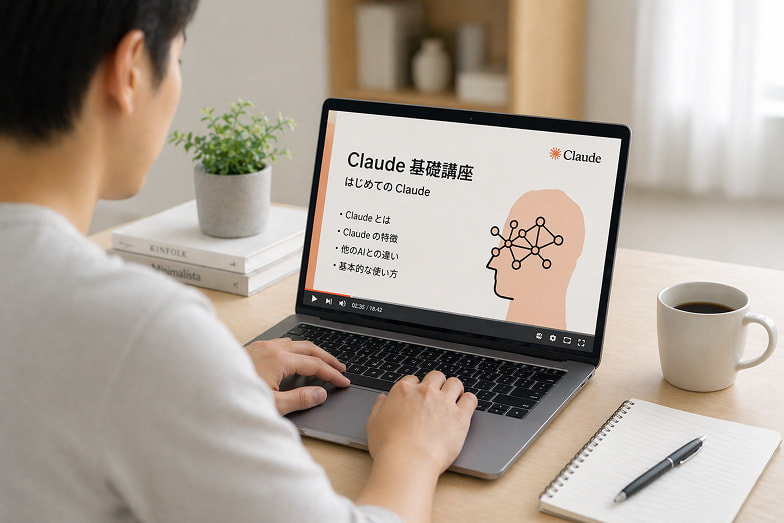
Using generative AI to streamline daily operations
Claude
- Writing and summarizing
- Information gathering and analysis
- Document creation and idea generation

AI assistant integrated into your work
Claude Cowork
- Team information sharing and management
- Integration into business workflow
- Knowledge utilization and collaborative work support

AI that handles everything from business process automation to development.
Claude Code
- Code generation, review, and modification.
- Support for automating development tasks
- AI agent development and operation
Learned from multiple generative AIs, including Claude.
You can acquire practical skills that can be used in your work.
Fully implement AI in your organization.
AI implementation training and utilization support services
For inquiries about subsidies and implementation, please click here
Contact us for an introductionIf you're unsure, start with this document
Download Documents
Effect
The effects of introducing corporate reskilling
-
Reduced work hours
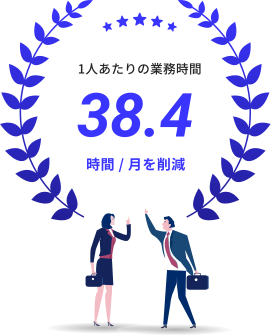
The use of generative AI has become established,
Drastically reduce work hoursBy incorporating generative AI into your work,The utilization rate increased to 94%, resulting in a reduction of 38.4 hours of work per person per month.
Rather than simply being used temporarily, AI has become a part of everyday operations, leading to improved productivity across the organization. -
Improved utilization level
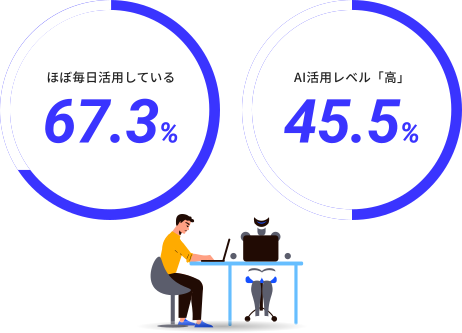
It has penetrated into the everyday work level,
Improved quality of AI utilizationThrough corporate reskilling,Approximately 70% of people are now using AI almost every day. Furthermore, the percentage of people who are able to use AI at a high level has increased to 45.5%.This has resulted in an improvement in the organization's ability to utilize AI, rather than leaving it up to individuals.
*GMO Internet Group, Inc., November 20, 2023, based on the results of a survey on the use of artificial intelligence (AI) by the GMO Internet Group.
Case
Case studies
-
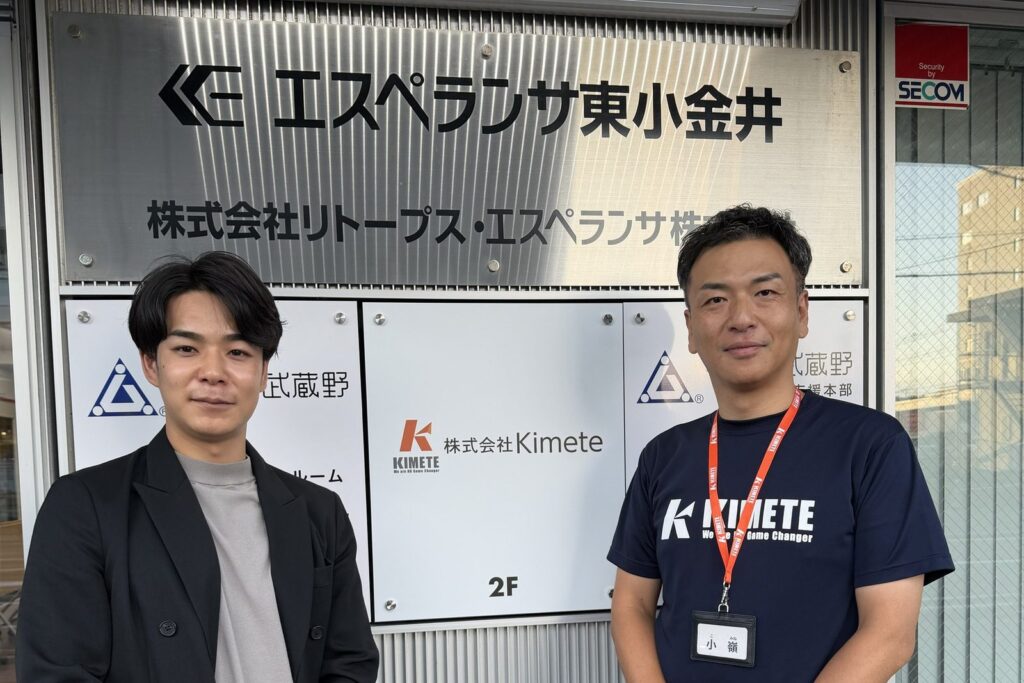
Approximately 901 TP3T saved per report, freeing up over 2,000 hours per year. The reason why a company that could use AI internally still relied on external professionals.
Kimete Co., Ltd.
- AI Consulting
- 20-49 people
- Tokyo
-

Creating a company where "everyone is the star": A strategy utilizing generative AI to "spread happiness"
Totec Co., Ltd.
- Corporate Reskilling
- 100-299 people
- Aichi prefecture
-

AI-powered "in-house" consultations with experts: Business improvement unconstrained by existing systems, achieved by Iwai Co., Ltd.
Iwai Co., Ltd.
- Corporate Reskilling
- 20-49 people
- Ishikawa Prefecture
-

Specialized tasks are also sped up with AI. Sun Home Okayama has realized a new way of working that allows you to move forward without hesitation.
Sun Home Okayama Co., Ltd.
- Corporate Reskilling
- 50 to 99 people
- Okayama Prefecture
-

Passing on demonstration sales and product development know-how to AI! A successful DX example that eliminated reliance on individual expertise.
Copa Corporation
- Corporate Reskilling
- 20-49 people
- Tokyo
-

AI usage frequency increased from "zero times per week to daily": A housing manufacturer achieved an organizational literacy revolution in just six months.
Noble Home Co., Ltd.
- Corporate Reskilling
- 500-999 people
- Ibaraki Prefecture
Fully implement AI in your organization.
AI implementation training and utilization support services
For inquiries about subsidies and implementation, please click here
Contact us for an introductionIf you're unsure, start with this document
Download Documents
Step
From contract to results5 steps
The knowledge and skills acquired
Accompanying support for utilizing in existing business
-
STEP.1
business negotiations
-
STEP.2
Contract
-
STEP.3
Preparation for implementation
-
STEP.4
Training and utilization support
-
STEP.5
Settling in and creating results
Plan
Pricing
By utilizing subsidies,Making AI talent development a more realistic investment.
We will introduce specific pricing examples to give an idea of implementation for each company size.
-
Small and Medium Enterprise Category / 30 people or moreSubsidy application simulation
*For 6-month courses:
Approximately 15,000 yen per month x 6 months (effectively equivalent to 90,000 yen)Developing AI talent for practical use15,000 yen per monthfrom.
Monthly
1.5
10,000 yen
*
Utilizing grant funds to provide six-month practical AI trainingApproximately 15,000 yen per person per monthCan be installed.
Human Resources Development Support Grant
Applicable model caseTotal training cost (minimum number of participants: 30)
¥7,200,000Human Resources Development Support Grant 75% (Maximum 150,000 yen per person)
¥4,500,000Actual burden amount
¥2,700,000 -
Large company category / 30 people or moreSubsidy application simulation
*For 6-month courses:
Approximately 23,000 yen per month x 6 months (effectively equivalent to 140,000 yen)Developing AI talent across the organization23,000 yen per monthfrom.
Monthly
2.3
10,000 yen
*
Utilizing grant funds to provide six-month practical AI trainingApproximately 23,000 yen per person per monthCan be installed.
Human Resources Development Support Grant
Applicable model caseTotal training cost (minimum number of participants: 30)
¥7,200,000Human Resources Development Support Grant 60% (Maximum 100,000 yen per person)
¥3,000,000Actual burden amount
¥4,200,000
FAQ
FAQ
- What industries is it suitable for?
-
It is ideal for use in a wide range of professions, including healthcare, finance, media, advertising, real estate, and the human resources market.
- What are the fees?
-
The price of this service varies depending on the number of people using it. Please contact us for detailed prices.
- How long does it take to implement the service?
-
The general schedule is for classes to begin one or two months after signing the contract.
- What makes you better than other companies?
-
One of our key features is the provision of video training and practical workshops that allow you to thoroughly learn the fundamentals and usage of AI. Furthermore, we have a comprehensive support system in place, including motivational support in startup meetings and the development of future internal AI utilization roadmaps in follow-up meetings.
- When using corporate reskilling services, can even beginners learn with confidence?
-
Yes, it is designed so that even beginners can learn with confidence. The video training is designed to teach step-by-step from the basics to advanced applications, and the workshops include practical training.
Fully implement AI in your organization.
AI implementation training and utilization support services
For inquiries about subsidies and implementation, please click here
Contact us for an introductionIf you're unsure, start with this document
Download Documents